XcellHost Cloud Services - Leaders in Managed Cloud Hosting since 1999
Document
lets talk

Get in Touch!

Captcha :
+
=

By continuing, you accept our Terms of Service & Privacy Policy

Cloud Object Storage Sample 1

The Future of Work: How Employee Productivity Monitoring is Transforming Businesses In the rapidly evolving landscape of modern work, the way businesses monitor and enhance employee productivity is undergoing significant transformation. With the advent of advanced technologies and shifting workplace dynamics, productivity monitoring has become a pivotal tool in shaping the future of work. This blog explores how employee productivity monitoring is transforming businesses, its benefits, challenges, and the ethical considerations involved. Introduction to Employee Productivity Monitoring Employee productivity monitoring involves tracking and analyzing the work habits, performance, and efficiency of employees to enhance overall productivity. This practice has gained traction with the rise of remote work, technological advancements, and the growing emphasis on data-driven decision-making. Benefits of Employee Productivity Monitoring Enhanced Performance and Efficiency 🚀 By monitoring employee productivity, businesses can identify areas for improvement and implement strategies to boost performance. Real-time data and insights allow managers to make informed decisions, optimize workflows, and allocate resources more effectively. Improved Time Management ⏰ Productivity monitoring tools help employees understand how they spend their time, highlighting areas where time is wasted. This awareness fosters better time management, enabling employees to focus on high-priority tasks and reduce procrastination. Increased Accountability and Transparency 📊 Monitoring productivity promotes accountability by providing clear metrics and benchmarks for performance. Employees are more likely to stay on task and meet deadlines when they know their work is being tracked and evaluated. Data-Driven Decision Making 📈 The data collected through productivity monitoring provides valuable insights into employee behavior, work patterns, and project progress. This information empowers managers to make data-driven decisions, streamline processes, and identify training needs. Remote Work Management 🌐 With the rise of remote work, productivity monitoring tools have become essential for managing distributed teams. These tools ensure that remote employees remain productive, engaged, and aligned with organizational goals. Challenges of Employee Productivity Monitoring Privacy Concerns 🔍 One of the primary challenges of productivity monitoring is addressing privacy concerns. Employees may feel uncomfortable or distrustful if they perceive monitoring as invasive. It is crucial to strike a balance between monitoring productivity and respecting employee privacy. Potential for Micromanagement 🚦 Excessive monitoring can lead to micromanagement, which can demotivate employees and hinder creativity. It is essential to use productivity data to support and guide employees rather than control every aspect of their work. Data Security Risks 🔒 The data collected through productivity monitoring must be securely stored and protected. Businesses need to implement robust cybersecurity measures to prevent data breaches and ensure compliance with data protection regulations. Ethical Considerations ⚖️ Ethical considerations play a significant role in productivity monitoring. Businesses must establish transparent policies, communicate the purpose of monitoring, and involve employees in the decision-making process to maintain trust and ethical standards. Key Technologies Transforming Employee Productivity Monitoring Artificial Intelligence and Machine Learning 🤖 AI and machine learning algorithms analyze vast amounts of data to provide insights into employee productivity. These technologies can identify patterns, predict trends, and offer personalized recommendations to enhance performance. Time Tracking Software ⏲️ Time tracking software records the time employees spend on various tasks and projects. This data helps identify time sinks, optimize schedules, and ensure efficient use of work hours. Activity Monitoring Tools 💻 Activity monitoring tools track computer usage, application activity, and online behavior to gauge productivity. These tools provide detailed reports on how employees interact with digital tools and platforms. Project Management Software 📅 Project management software integrates productivity monitoring features to track project progress, deadlines, and team collaboration. These tools offer a holistic view of project performance and resource allocation. Employee Feedback Systems 🗣️ Feedback systems enable employees to provide input on their work experiences and productivity challenges. Regular feedback fosters a culture of continuous improvement and helps identify areas for intervention. Best Practices for Ethical Employee Productivity Monitoring Transparency and Communication 🗨️ Openly communicate the purpose and benefits of productivity monitoring to employees. Transparency fosters trust and ensures that employees understand how monitoring data will be used to support their growth and development. Involve Employees in Decision-Making 🤝 Involve employees in the selection and implementation of productivity monitoring tools. Seeking their input and addressing their concerns helps create a collaborative and inclusive work environment. Focus on Outcomes, Not Just Metrics 🎯 While metrics are essential, focus on the outcomes and impact of productivity monitoring. Use the data to support employees, enhance their skills, and create a positive work culture. Protect Employee Privacy 🔐 Implement privacy safeguards to ensure that monitoring practices do not infringe on employee privacy. Use anonymized data where possible and limit access to sensitive information. Regularly Review and Adjust Practices 🔄 Continuously review and adjust productivity monitoring practices to align with changing work dynamics and employee feedback. Regular assessments ensure that monitoring remains relevant and effective. Frequently Asked Questions (FAQs) ❓ Q1: What are the main benefits of employee productivity monitoring? A1: Employee productivity monitoring enhances performance, improves time management, increases accountability, supports data-driven decision-making, and aids in managing remote teams. Q2: How can businesses address privacy concerns in productivity monitoring? A2: Businesses can address privacy concerns by being transparent about monitoring practices, involving employees in decision-making, and implementing robust privacy safeguards. Q3: What technologies are commonly used in productivity monitoring? A3: Common technologies include artificial intelligence, time tracking software, activity monitoring tools, project management software, and employee feedback systems. Q4: How can productivity monitoring improve remote work management? A4: Productivity monitoring tools provide real-time data and insights into remote employee performance, ensuring that remote teams remain productive, engaged, and aligned with organizational goals. Q5: What ethical considerations should businesses keep in mind when monitoring productivity? A5: Ethical considerations include maintaining transparency, protecting employee privacy, avoiding micromanagement, and using data to support and develop employees rather than control them. Conclusion 🌟 Employee productivity monitoring is transforming businesses by providing valuable insights, enhancing efficiency, and supporting data-driven decision-making. As the future of work continues to evolve, embracing ethical and effective productivity monitoring practices will be crucial for businesses to thrive. By balancing transparency, privacy,

Cloud Object Storage Sample 1 Read More »

Cloud Management Portal Sample 3

The Future of Work: How Employee Productivity Monitoring is Transforming Businesses In the rapidly evolving landscape of modern work, the way businesses monitor and enhance employee productivity is undergoing significant transformation. With the advent of advanced technologies and shifting workplace dynamics, productivity monitoring has become a pivotal tool in shaping the future of work. This blog explores how employee productivity monitoring is transforming businesses, its benefits, challenges, and the ethical considerations involved. Introduction to Employee Productivity Monitoring Employee productivity monitoring involves tracking and analyzing the work habits, performance, and efficiency of employees to enhance overall productivity. This practice has gained traction with the rise of remote work, technological advancements, and the growing emphasis on data-driven decision-making. Benefits of Employee Productivity Monitoring Enhanced Performance and Efficiency 🚀 By monitoring employee productivity, businesses can identify areas for improvement and implement strategies to boost performance. Real-time data and insights allow managers to make informed decisions, optimize workflows, and allocate resources more effectively. Improved Time Management ⏰ Productivity monitoring tools help employees understand how they spend their time, highlighting areas where time is wasted. This awareness fosters better time management, enabling employees to focus on high-priority tasks and reduce procrastination. Increased Accountability and Transparency 📊 Monitoring productivity promotes accountability by providing clear metrics and benchmarks for performance. Employees are more likely to stay on task and meet deadlines when they know their work is being tracked and evaluated. Data-Driven Decision Making 📈 The data collected through productivity monitoring provides valuable insights into employee behavior, work patterns, and project progress. This information empowers managers to make data-driven decisions, streamline processes, and identify training needs. Remote Work Management 🌐 With the rise of remote work, productivity monitoring tools have become essential for managing distributed teams. These tools ensure that remote employees remain productive, engaged, and aligned with organizational goals. Challenges of Employee Productivity Monitoring Privacy Concerns 🔍 One of the primary challenges of productivity monitoring is addressing privacy concerns. Employees may feel uncomfortable or distrustful if they perceive monitoring as invasive. It is crucial to strike a balance between monitoring productivity and respecting employee privacy. Potential for Micromanagement 🚦 Excessive monitoring can lead to micromanagement, which can demotivate employees and hinder creativity. It is essential to use productivity data to support and guide employees rather than control every aspect of their work. Data Security Risks 🔒 The data collected through productivity monitoring must be securely stored and protected. Businesses need to implement robust cybersecurity measures to prevent data breaches and ensure compliance with data protection regulations. Ethical Considerations ⚖️ Ethical considerations play a significant role in productivity monitoring. Businesses must establish transparent policies, communicate the purpose of monitoring, and involve employees in the decision-making process to maintain trust and ethical standards. Key Technologies Transforming Employee Productivity Monitoring Artificial Intelligence and Machine Learning 🤖 AI and machine learning algorithms analyze vast amounts of data to provide insights into employee productivity. These technologies can identify patterns, predict trends, and offer personalized recommendations to enhance performance. Time Tracking Software ⏲️ Time tracking software records the time employees spend on various tasks and projects. This data helps identify time sinks, optimize schedules, and ensure efficient use of work hours. Activity Monitoring Tools 💻 Activity monitoring tools track computer usage, application activity, and online behavior to gauge productivity. These tools provide detailed reports on how employees interact with digital tools and platforms. Project Management Software 📅 Project management software integrates productivity monitoring features to track project progress, deadlines, and team collaboration. These tools offer a holistic view of project performance and resource allocation. Employee Feedback Systems 🗣️ Feedback systems enable employees to provide input on their work experiences and productivity challenges. Regular feedback fosters a culture of continuous improvement and helps identify areas for intervention. Best Practices for Ethical Employee Productivity Monitoring Transparency and Communication 🗨️ Openly communicate the purpose and benefits of productivity monitoring to employees. Transparency fosters trust and ensures that employees understand how monitoring data will be used to support their growth and development. Involve Employees in Decision-Making 🤝 Involve employees in the selection and implementation of productivity monitoring tools. Seeking their input and addressing their concerns helps create a collaborative and inclusive work environment. Focus on Outcomes, Not Just Metrics 🎯 While metrics are essential, focus on the outcomes and impact of productivity monitoring. Use the data to support employees, enhance their skills, and create a positive work culture. Protect Employee Privacy 🔐 Implement privacy safeguards to ensure that monitoring practices do not infringe on employee privacy. Use anonymized data where possible and limit access to sensitive information. Regularly Review and Adjust Practices 🔄 Continuously review and adjust productivity monitoring practices to align with changing work dynamics and employee feedback. Regular assessments ensure that monitoring remains relevant and effective. Frequently Asked Questions (FAQs) ❓ Q1: What are the main benefits of employee productivity monitoring? A1: Employee productivity monitoring enhances performance, improves time management, increases accountability, supports data-driven decision-making, and aids in managing remote teams. Q2: How can businesses address privacy concerns in productivity monitoring? A2: Businesses can address privacy concerns by being transparent about monitoring practices, involving employees in decision-making, and implementing robust privacy safeguards. Q3: What technologies are commonly used in productivity monitoring? A3: Common technologies include artificial intelligence, time tracking software, activity monitoring tools, project management software, and employee feedback systems. Q4: How can productivity monitoring improve remote work management? A4: Productivity monitoring tools provide real-time data and insights into remote employee performance, ensuring that remote teams remain productive, engaged, and aligned with organizational goals. Q5: What ethical considerations should businesses keep in mind when monitoring productivity? A5: Ethical considerations include maintaining transparency, protecting employee privacy, avoiding micromanagement, and using data to support and develop employees rather than control them. Conclusion 🌟 Employee productivity monitoring is transforming businesses by providing valuable insights, enhancing efficiency, and supporting data-driven decision-making. As the future of work continues to evolve, embracing ethical and effective productivity monitoring practices will be crucial for businesses to thrive. By balancing transparency, privacy,

Cloud Management Portal Sample 3 Read More »

Cloud Management Portal Sample 2

The Future of Work: How Employee Productivity Monitoring is Transforming Businesses In the rapidly evolving landscape of modern work, the way businesses monitor and enhance employee productivity is undergoing significant transformation. With the advent of advanced technologies and shifting workplace dynamics, productivity monitoring has become a pivotal tool in shaping the future of work. This blog explores how employee productivity monitoring is transforming businesses, its benefits, challenges, and the ethical considerations involved. Introduction to Employee Productivity Monitoring Employee productivity monitoring involves tracking and analyzing the work habits, performance, and efficiency of employees to enhance overall productivity. This practice has gained traction with the rise of remote work, technological advancements, and the growing emphasis on data-driven decision-making. Benefits of Employee Productivity Monitoring Enhanced Performance and Efficiency 🚀 By monitoring employee productivity, businesses can identify areas for improvement and implement strategies to boost performance. Real-time data and insights allow managers to make informed decisions, optimize workflows, and allocate resources more effectively. Improved Time Management ⏰ Productivity monitoring tools help employees understand how they spend their time, highlighting areas where time is wasted. This awareness fosters better time management, enabling employees to focus on high-priority tasks and reduce procrastination. Increased Accountability and Transparency 📊 Monitoring productivity promotes accountability by providing clear metrics and benchmarks for performance. Employees are more likely to stay on task and meet deadlines when they know their work is being tracked and evaluated. Data-Driven Decision Making 📈 The data collected through productivity monitoring provides valuable insights into employee behavior, work patterns, and project progress. This information empowers managers to make data-driven decisions, streamline processes, and identify training needs. Remote Work Management 🌐 With the rise of remote work, productivity monitoring tools have become essential for managing distributed teams. These tools ensure that remote employees remain productive, engaged, and aligned with organizational goals. Challenges of Employee Productivity Monitoring Privacy Concerns 🔍 One of the primary challenges of productivity monitoring is addressing privacy concerns. Employees may feel uncomfortable or distrustful if they perceive monitoring as invasive. It is crucial to strike a balance between monitoring productivity and respecting employee privacy. Potential for Micromanagement 🚦 Excessive monitoring can lead to micromanagement, which can demotivate employees and hinder creativity. It is essential to use productivity data to support and guide employees rather than control every aspect of their work. Data Security Risks 🔒 The data collected through productivity monitoring must be securely stored and protected. Businesses need to implement robust cybersecurity measures to prevent data breaches and ensure compliance with data protection regulations. Ethical Considerations ⚖️ Ethical considerations play a significant role in productivity monitoring. Businesses must establish transparent policies, communicate the purpose of monitoring, and involve employees in the decision-making process to maintain trust and ethical standards. Key Technologies Transforming Employee Productivity Monitoring Artificial Intelligence and Machine Learning 🤖 AI and machine learning algorithms analyze vast amounts of data to provide insights into employee productivity. These technologies can identify patterns, predict trends, and offer personalized recommendations to enhance performance. Time Tracking Software ⏲️ Time tracking software records the time employees spend on various tasks and projects. This data helps identify time sinks, optimize schedules, and ensure efficient use of work hours. Activity Monitoring Tools 💻 Activity monitoring tools track computer usage, application activity, and online behavior to gauge productivity. These tools provide detailed reports on how employees interact with digital tools and platforms. Project Management Software 📅 Project management software integrates productivity monitoring features to track project progress, deadlines, and team collaboration. These tools offer a holistic view of project performance and resource allocation. Employee Feedback Systems 🗣️ Feedback systems enable employees to provide input on their work experiences and productivity challenges. Regular feedback fosters a culture of continuous improvement and helps identify areas for intervention. Best Practices for Ethical Employee Productivity Monitoring Transparency and Communication 🗨️ Openly communicate the purpose and benefits of productivity monitoring to employees. Transparency fosters trust and ensures that employees understand how monitoring data will be used to support their growth and development. Involve Employees in Decision-Making 🤝 Involve employees in the selection and implementation of productivity monitoring tools. Seeking their input and addressing their concerns helps create a collaborative and inclusive work environment. Focus on Outcomes, Not Just Metrics 🎯 While metrics are essential, focus on the outcomes and impact of productivity monitoring. Use the data to support employees, enhance their skills, and create a positive work culture. Protect Employee Privacy 🔐 Implement privacy safeguards to ensure that monitoring practices do not infringe on employee privacy. Use anonymized data where possible and limit access to sensitive information. Regularly Review and Adjust Practices 🔄 Continuously review and adjust productivity monitoring practices to align with changing work dynamics and employee feedback. Regular assessments ensure that monitoring remains relevant and effective. Frequently Asked Questions (FAQs) ❓ Q1: What are the main benefits of employee productivity monitoring? A1: Employee productivity monitoring enhances performance, improves time management, increases accountability, supports data-driven decision-making, and aids in managing remote teams. Q2: How can businesses address privacy concerns in productivity monitoring? A2: Businesses can address privacy concerns by being transparent about monitoring practices, involving employees in decision-making, and implementing robust privacy safeguards. Q3: What technologies are commonly used in productivity monitoring? A3: Common technologies include artificial intelligence, time tracking software, activity monitoring tools, project management software, and employee feedback systems. Q4: How can productivity monitoring improve remote work management? A4: Productivity monitoring tools provide real-time data and insights into remote employee performance, ensuring that remote teams remain productive, engaged, and aligned with organizational goals. Q5: What ethical considerations should businesses keep in mind when monitoring productivity? A5: Ethical considerations include maintaining transparency, protecting employee privacy, avoiding micromanagement, and using data to support and develop employees rather than control them. Conclusion 🌟 Employee productivity monitoring is transforming businesses by providing valuable insights, enhancing efficiency, and supporting data-driven decision-making. As the future of work continues to evolve, embracing ethical and effective productivity monitoring practices will be crucial for businesses to thrive. By balancing transparency, privacy,

Cloud Management Portal Sample 2 Read More »

Cloud Management Portal Sample 1

The Future of Work: How Employee Productivity Monitoring is Transforming Businesses In the rapidly evolving landscape of modern work, the way businesses monitor and enhance employee productivity is undergoing significant transformation. With the advent of advanced technologies and shifting workplace dynamics, productivity monitoring has become a pivotal tool in shaping the future of work. This blog explores how employee productivity monitoring is transforming businesses, its benefits, challenges, and the ethical considerations involved. Introduction to Employee Productivity Monitoring Employee productivity monitoring involves tracking and analyzing the work habits, performance, and efficiency of employees to enhance overall productivity. This practice has gained traction with the rise of remote work, technological advancements, and the growing emphasis on data-driven decision-making. Benefits of Employee Productivity Monitoring Enhanced Performance and Efficiency 🚀 By monitoring employee productivity, businesses can identify areas for improvement and implement strategies to boost performance. Real-time data and insights allow managers to make informed decisions, optimize workflows, and allocate resources more effectively. Improved Time Management ⏰ Productivity monitoring tools help employees understand how they spend their time, highlighting areas where time is wasted. This awareness fosters better time management, enabling employees to focus on high-priority tasks and reduce procrastination. Increased Accountability and Transparency 📊 Monitoring productivity promotes accountability by providing clear metrics and benchmarks for performance. Employees are more likely to stay on task and meet deadlines when they know their work is being tracked and evaluated. Data-Driven Decision Making 📈 The data collected through productivity monitoring provides valuable insights into employee behavior, work patterns, and project progress. This information empowers managers to make data-driven decisions, streamline processes, and identify training needs. Remote Work Management 🌐 With the rise of remote work, productivity monitoring tools have become essential for managing distributed teams. These tools ensure that remote employees remain productive, engaged, and aligned with organizational goals. Challenges of Employee Productivity Monitoring Privacy Concerns 🔍 One of the primary challenges of productivity monitoring is addressing privacy concerns. Employees may feel uncomfortable or distrustful if they perceive monitoring as invasive. It is crucial to strike a balance between monitoring productivity and respecting employee privacy. Potential for Micromanagement 🚦 Excessive monitoring can lead to micromanagement, which can demotivate employees and hinder creativity. It is essential to use productivity data to support and guide employees rather than control every aspect of their work. Data Security Risks 🔒 The data collected through productivity monitoring must be securely stored and protected. Businesses need to implement robust cybersecurity measures to prevent data breaches and ensure compliance with data protection regulations. Ethical Considerations ⚖️ Ethical considerations play a significant role in productivity monitoring. Businesses must establish transparent policies, communicate the purpose of monitoring, and involve employees in the decision-making process to maintain trust and ethical standards. Key Technologies Transforming Employee Productivity Monitoring Artificial Intelligence and Machine Learning 🤖 AI and machine learning algorithms analyze vast amounts of data to provide insights into employee productivity. These technologies can identify patterns, predict trends, and offer personalized recommendations to enhance performance. Time Tracking Software ⏲️ Time tracking software records the time employees spend on various tasks and projects. This data helps identify time sinks, optimize schedules, and ensure efficient use of work hours. Activity Monitoring Tools 💻 Activity monitoring tools track computer usage, application activity, and online behavior to gauge productivity. These tools provide detailed reports on how employees interact with digital tools and platforms. Project Management Software 📅 Project management software integrates productivity monitoring features to track project progress, deadlines, and team collaboration. These tools offer a holistic view of project performance and resource allocation. Employee Feedback Systems 🗣️ Feedback systems enable employees to provide input on their work experiences and productivity challenges. Regular feedback fosters a culture of continuous improvement and helps identify areas for intervention. Best Practices for Ethical Employee Productivity Monitoring Transparency and Communication 🗨️ Openly communicate the purpose and benefits of productivity monitoring to employees. Transparency fosters trust and ensures that employees understand how monitoring data will be used to support their growth and development. Involve Employees in Decision-Making 🤝 Involve employees in the selection and implementation of productivity monitoring tools. Seeking their input and addressing their concerns helps create a collaborative and inclusive work environment. Focus on Outcomes, Not Just Metrics 🎯 While metrics are essential, focus on the outcomes and impact of productivity monitoring. Use the data to support employees, enhance their skills, and create a positive work culture. Protect Employee Privacy 🔐 Implement privacy safeguards to ensure that monitoring practices do not infringe on employee privacy. Use anonymized data where possible and limit access to sensitive information. Regularly Review and Adjust Practices 🔄 Continuously review and adjust productivity monitoring practices to align with changing work dynamics and employee feedback. Regular assessments ensure that monitoring remains relevant and effective. Frequently Asked Questions (FAQs) ❓ Q1: What are the main benefits of employee productivity monitoring? A1: Employee productivity monitoring enhances performance, improves time management, increases accountability, supports data-driven decision-making, and aids in managing remote teams. Q2: How can businesses address privacy concerns in productivity monitoring? A2: Businesses can address privacy concerns by being transparent about monitoring practices, involving employees in decision-making, and implementing robust privacy safeguards. Q3: What technologies are commonly used in productivity monitoring? A3: Common technologies include artificial intelligence, time tracking software, activity monitoring tools, project management software, and employee feedback systems. Q4: How can productivity monitoring improve remote work management? A4: Productivity monitoring tools provide real-time data and insights into remote employee performance, ensuring that remote teams remain productive, engaged, and aligned with organizational goals. Q5: What ethical considerations should businesses keep in mind when monitoring productivity? A5: Ethical considerations include maintaining transparency, protecting employee privacy, avoiding micromanagement, and using data to support and develop employees rather than control them. Conclusion 🌟 Employee productivity monitoring is transforming businesses by providing valuable insights, enhancing efficiency, and supporting data-driven decision-making. As the future of work continues to evolve, embracing ethical and effective productivity monitoring practices will be crucial for businesses to thrive. By balancing transparency, privacy,

Cloud Management Portal Sample 1 Read More »

The Future of Global Cloud: Trends and Innovations to Watch

The Future of Global Cloud: Trends and Innovations to Watch The global cloud computing landscape is evolving at an unprecedented pace, transforming how businesses operate and deliver services. As we look towards the future, several trends and innovations are poised to shape the global cloud environment. This blog will explore these emerging trends, their implications, and what businesses can expect from the future of global cloud computing. Introduction to Global Cloud Computing Global cloud computing involves the delivery of computing services—servers, storage, databases, networking, software, and more—over the internet, enabling flexible resources, economies of scale, and innovation. It offers businesses the ability to scale operations quickly, enhance collaboration, and reduce IT costs. Key Trends in Global Cloud Computing 1. Multi-Cloud and Hybrid Cloud Strategies 🌐 As businesses seek to optimize their IT environments, the adoption of multi-cloud and hybrid cloud strategies is on the rise. Multi-cloud involves using multiple cloud services from different providers, while hybrid cloud combines private and public clouds. These strategies offer greater flexibility, risk management, and cost efficiency. 2. Edge Computing 🚀 Edge computing brings computation and data storage closer to the location where it is needed, reducing latency and improving performance. As the Internet of Things (IoT) and 5G networks expand, edge computing is becoming essential for real-time data processing and decision-making. 3. Serverless Computing ⚙️ Serverless computing allows developers to build and run applications without managing the underlying infrastructure. This trend is gaining traction as it simplifies deployment, reduces operational overhead, and scales automatically based on demand, enabling faster development cycles. 4. Artificial Intelligence and Machine Learning Integration 🤖 AI and machine learning are increasingly integrated into cloud platforms, providing businesses with powerful tools for data analysis, predictive analytics, and automation. These technologies enhance decision-making, customer experiences, and operational efficiency. 5. Enhanced Cloud Security 🔐 With the growing reliance on cloud services, security remains a top priority. Innovations in cloud security include advanced encryption, AI-driven threat detection, and zero-trust security models. These measures ensure data protection and regulatory compliance. 6. Cloud-Native Technologies 🌟 Cloud-native technologies, such as containers and Kubernetes, are revolutionizing application development and deployment. These technologies enable businesses to create scalable, resilient, and portable applications that can run consistently across different cloud environments. 7. Quantum Computing 💡 Quantum computing, still in its nascent stage, promises to revolutionize cloud computing with unprecedented processing power. It has the potential to solve complex problems that are currently infeasible for classical computers, opening new frontiers in various fields, including cryptography, materials science, and optimization. Innovations to Watch in Global Cloud Computing 1. AI-Powered Cloud Management 🧠 AI-powered cloud management tools are becoming more sophisticated, offering automated monitoring, resource optimization, and anomaly detection. These tools enhance operational efficiency and reduce the need for manual intervention. 2. Distributed Cloud 🌍 Distributed cloud extends cloud services to multiple locations, ensuring compliance with data sovereignty laws and improving service availability. This innovation supports applications that require low latency and high availability across diverse geographical regions. 3. Blockchain Integration 🔗 Blockchain technology is being integrated into cloud services to enhance data integrity, security, and transparency. Blockchain can provide immutable records for transactions, supply chain tracking, and secure data sharing across cloud environments. 4. Sustainable Cloud Solutions 🌱 As environmental concerns grow, cloud providers are focusing on sustainability. Innovations include energy-efficient data centers, carbon offset programs, and the use of renewable energy sources to power cloud infrastructure. 5. Cloud-Based Virtual and Augmented Reality 🕶️ The integration of virtual and augmented reality (VR/AR) into cloud services is opening new possibilities for remote collaboration, training, and customer engagement. Cloud-based VR/AR reduces the need for high-end local hardware, making these technologies more accessible. 6. Unified Cloud Management Platforms 🖥️ Unified cloud management platforms provide a single interface to manage multiple cloud environments, simplifying administration and improving visibility. These platforms help businesses streamline operations and ensure consistent security and compliance across all cloud services. Preparing for the Future of Global Cloud Computing Embrace Flexibility and Scalability 🌈 To stay competitive, businesses should embrace the flexibility and scalability offered by modern cloud technologies. Adopting multi-cloud and hybrid cloud strategies can provide the agility needed to respond to changing market demands. Invest in Skills and Training 📚 As cloud technologies evolve, investing in skills and training for your IT team is crucial. Ensure your team is proficient in the latest cloud-native technologies, security practices, and AI/ML integration to maximize the benefits of cloud computing. Prioritize Security and Compliance 🛡️ With increasing regulatory requirements and cyber threats, prioritizing security and compliance is essential. Implement robust security measures, stay updated on compliance standards, and regularly audit your cloud infrastructure to protect your data. Leverage AI and Automation 🤖 Leverage AI and automation to enhance cloud management, optimize resources, and improve operational efficiency. AI-driven tools can help identify performance bottlenecks, predict future trends, and automate routine tasks. Explore Emerging Technologies 🌟 Stay informed about emerging technologies like quantum computing, blockchain, and edge computing. Exploring these innovations can provide a competitive edge and open new opportunities for your business. Frequently Asked Questions (FAQs) ❓ Q1: What are the benefits of multi-cloud and hybrid cloud strategies? A1: Multi-cloud and hybrid cloud strategies offer greater flexibility, risk management, cost efficiency, and the ability to optimize IT environments by leveraging the strengths of different cloud providers. Q2: How does edge computing improve performance? A2: Edge computing reduces latency by bringing computation and data storage closer to the location where it is needed, enabling real-time data processing and decision-making. Q3: What are cloud-native technologies? A3: Cloud-native technologies, such as containers and Kubernetes, enable businesses to create scalable, resilient, and portable applications that can run consistently across different cloud environments. Q4: Why is cloud security important? A4: Cloud security is essential to protect data, ensure regulatory compliance, and mitigate the risks of cyber threats. Advanced security measures, including AI-driven threat detection and zero-trust models, enhance data protection. Q5: How is sustainability being addressed in cloud computing? A5: Cloud providers are focusing on sustainability through energy-efficient data

The Future of Global Cloud: Trends and Innovations to Watch Read More »

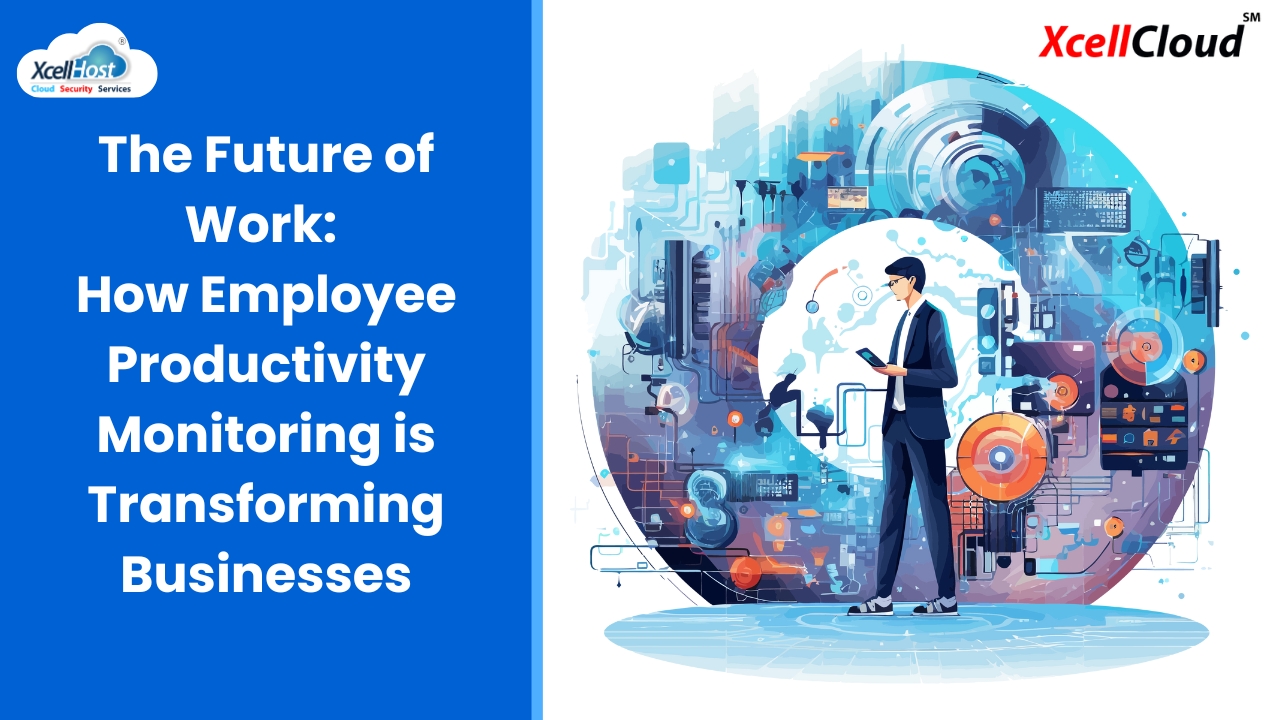
The Future of Work: How Employee Productivity Monitoring is Transforming Businesses

The Future of Work: How Employee Productivity Monitoring is Transforming Businesses In the rapidly evolving landscape of modern work, the way businesses monitor and enhance employee productivity is undergoing significant transformation. With the advent of advanced technologies and shifting workplace dynamics, productivity monitoring has become a pivotal tool in shaping the future of work. This blog explores how employee productivity monitoring is transforming businesses, its benefits, challenges, and the ethical considerations involved. Introduction to Employee Productivity Monitoring Employee productivity monitoring involves tracking and analyzing the work habits, performance, and efficiency of employees to enhance overall productivity. This practice has gained traction with the rise of remote work, technological advancements, and the growing emphasis on data-driven decision-making. Benefits of Employee Productivity Monitoring Enhanced Performance and Efficiency 🚀 By monitoring employee productivity, businesses can identify areas for improvement and implement strategies to boost performance. Real-time data and insights allow managers to make informed decisions, optimize workflows, and allocate resources more effectively. Improved Time Management ⏰ Productivity monitoring tools help employees understand how they spend their time, highlighting areas where time is wasted. This awareness fosters better time management, enabling employees to focus on high-priority tasks and reduce procrastination. Increased Accountability and Transparency 📊 Monitoring productivity promotes accountability by providing clear metrics and benchmarks for performance. Employees are more likely to stay on task and meet deadlines when they know their work is being tracked and evaluated. Data-Driven Decision Making 📈 The data collected through productivity monitoring provides valuable insights into employee behavior, work patterns, and project progress. This information empowers managers to make data-driven decisions, streamline processes, and identify training needs. Remote Work Management 🌐 With the rise of remote work, productivity monitoring tools have become essential for managing distributed teams. These tools ensure that remote employees remain productive, engaged, and aligned with organizational goals. Challenges of Employee Productivity Monitoring Privacy Concerns 🔍 One of the primary challenges of productivity monitoring is addressing privacy concerns. Employees may feel uncomfortable or distrustful if they perceive monitoring as invasive. It is crucial to strike a balance between monitoring productivity and respecting employee privacy. Potential for Micromanagement 🚦 Excessive monitoring can lead to micromanagement, which can demotivate employees and hinder creativity. It is essential to use productivity data to support and guide employees rather than control every aspect of their work. Data Security Risks 🔒 The data collected through productivity monitoring must be securely stored and protected. Businesses need to implement robust cybersecurity measures to prevent data breaches and ensure compliance with data protection regulations. Ethical Considerations ⚖️ Ethical considerations play a significant role in productivity monitoring. Businesses must establish transparent policies, communicate the purpose of monitoring, and involve employees in the decision-making process to maintain trust and ethical standards. Key Technologies Transforming Employee Productivity Monitoring Artificial Intelligence and Machine Learning 🤖 AI and machine learning algorithms analyze vast amounts of data to provide insights into employee productivity. These technologies can identify patterns, predict trends, and offer personalized recommendations to enhance performance. Time Tracking Software ⏲️ Time tracking software records the time employees spend on various tasks and projects. This data helps identify time sinks, optimize schedules, and ensure efficient use of work hours. Activity Monitoring Tools 💻 Activity monitoring tools track computer usage, application activity, and online behavior to gauge productivity. These tools provide detailed reports on how employees interact with digital tools and platforms. Project Management Software 📅 Project management software integrates productivity monitoring features to track project progress, deadlines, and team collaboration. These tools offer a holistic view of project performance and resource allocation. Employee Feedback Systems 🗣️ Feedback systems enable employees to provide input on their work experiences and productivity challenges. Regular feedback fosters a culture of continuous improvement and helps identify areas for intervention. Best Practices for Ethical Employee Productivity Monitoring Transparency and Communication 🗨️ Openly communicate the purpose and benefits of productivity monitoring to employees. Transparency fosters trust and ensures that employees understand how monitoring data will be used to support their growth and development. Involve Employees in Decision-Making 🤝 Involve employees in the selection and implementation of productivity monitoring tools. Seeking their input and addressing their concerns helps create a collaborative and inclusive work environment. Focus on Outcomes, Not Just Metrics 🎯 While metrics are essential, focus on the outcomes and impact of productivity monitoring. Use the data to support employees, enhance their skills, and create a positive work culture. Protect Employee Privacy 🔐 Implement privacy safeguards to ensure that monitoring practices do not infringe on employee privacy. Use anonymized data where possible and limit access to sensitive information. Regularly Review and Adjust Practices 🔄 Continuously review and adjust productivity monitoring practices to align with changing work dynamics and employee feedback. Regular assessments ensure that monitoring remains relevant and effective. Frequently Asked Questions (FAQs) ❓ Q1: What are the main benefits of employee productivity monitoring? A1: Employee productivity monitoring enhances performance, improves time management, increases accountability, supports data-driven decision-making, and aids in managing remote teams. Q2: How can businesses address privacy concerns in productivity monitoring? A2: Businesses can address privacy concerns by being transparent about monitoring practices, involving employees in decision-making, and implementing robust privacy safeguards. Q3: What technologies are commonly used in productivity monitoring? A3: Common technologies include artificial intelligence, time tracking software, activity monitoring tools, project management software, and employee feedback systems. Q4: How can productivity monitoring improve remote work management? A4: Productivity monitoring tools provide real-time data and insights into remote employee performance, ensuring that remote teams remain productive, engaged, and aligned with organizational goals. Q5: What ethical considerations should businesses keep in mind when monitoring productivity? A5: Ethical considerations include maintaining transparency, protecting employee privacy, avoiding micromanagement, and using data to support and develop employees rather than control them. Conclusion 🌟 Employee productivity monitoring is transforming businesses by providing valuable insights, enhancing efficiency, and supporting data-driven decision-making. As the future of work continues to evolve, embracing ethical and effective productivity monitoring practices will be crucial for businesses to thrive. By balancing transparency, privacy,

The Future of Work: How Employee Productivity Monitoring is Transforming Businesses Read More »

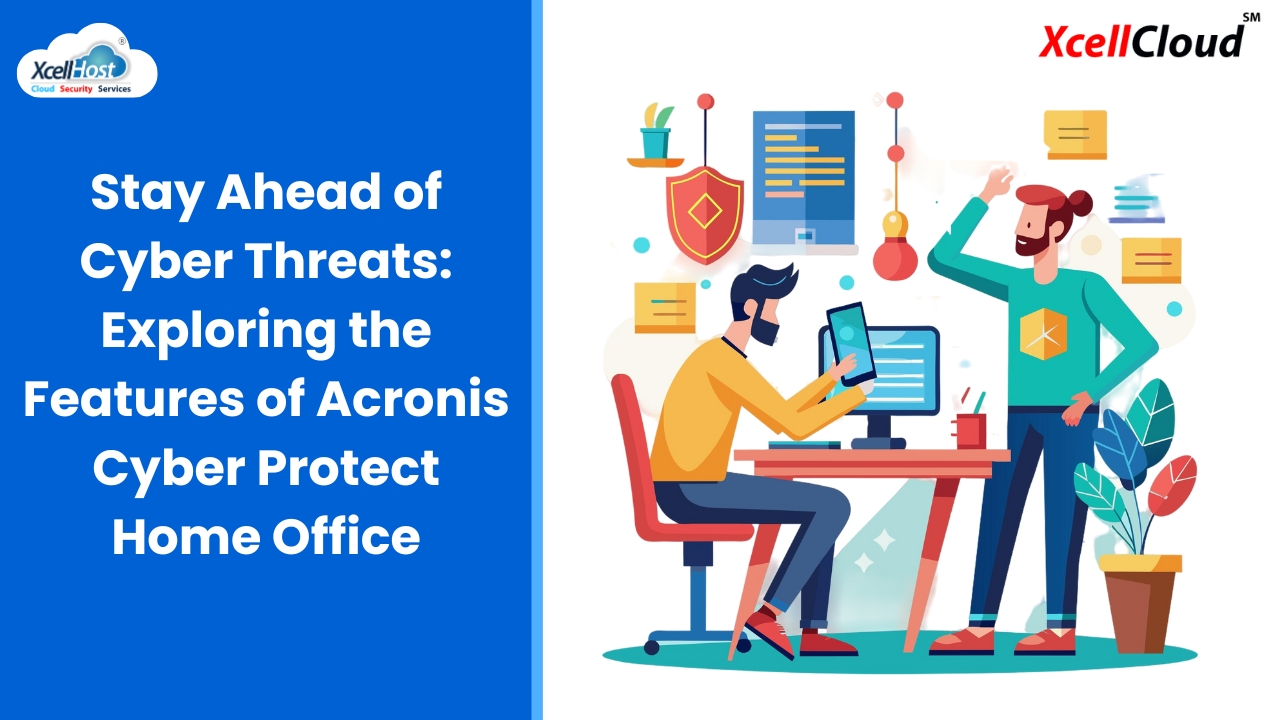
Stay Ahead of Cyber Threats: Exploring the Features of Acronis Cyber Protect Home Office

Stay Ahead of Cyber Threats: Exploring the Features of Acronis Cyber Protect Home Office In today’s digital age, protecting your data is more crucial than ever. With the increasing number of cyber threats and data breaches, having a reliable cybersecurity solution is essential. Acronis Cyber Protect Home Office stands out as an all-in-one solution designed to safeguard your digital life. This blog will explore the features of Acronis Cyber Protect Home Office and how it can help you stay ahead of cyber threats. Introduction to Acronis Cyber Protect Home Office Acronis Cyber Protect Home Office, formerly known as Acronis True Image, combines backup and antimalware in one comprehensive solution. It offers advanced cybersecurity features to ensure your data is protected from all kinds of threats, including ransomware, malware, and phishing attacks. Key Features of Acronis Cyber Protect Home Office Comprehensive Backup Solutions 🗂️ Advanced Antimalware Protection 🛡️ Ransomware Protection 🔒 Secure File Sync and Share 📁 Safe Recovery 💾 Privacy and Encryption 🔐 User-Friendly Interface 🌟 Why Choose Acronis Cyber Protect Home Office? 🤔 How to Get Started with Acronis Cyber Protect Home Office 🛠️ Frequently Asked Questions (FAQs) ❓ Q1: What platforms does Acronis Cyber Protect Home Office support? A1: Acronis Cyber Protect Home Office supports Windows and macOS operating systems. Q2: How much storage do I get with Acronis Cloud? A2: The amount of cloud storage depends on your subscription plan. You can choose from various plans to meet your storage needs. Q3: Can I use Acronis Cyber Protect Home Office on multiple devices? A3: Yes, depending on your subscription plan, you can protect multiple devices with a single license. Q4: Does Acronis Cyber Protect Home Office offer customer support? A4: Yes, Acronis provides customer support through various channels, including phone, email, and live chat. Q5: Is my data safe with Acronis Cyber Protect Home Office? A5: Absolutely. Acronis uses advanced encryption and cybersecurity measures to ensure your data is safe and secure. Conclusion 🌟 Acronis Cyber Protect Home Office is a robust and comprehensive solution for protecting your digital life. Its blend of advanced backup and cybersecurity features ensures that you stay ahead of cyber threats and keep your data safe. Whether you’re a home user, a remote worker, or someone who simply values their data, Acronis Cyber Protect Home Office is an excellent choice for all your cybersecurity needs. Stay protected and enjoy peace of mind with Acronis Cyber Protect Home Office! 🛡️💻      

Stay Ahead of Cyber Threats: Exploring the Features of Acronis Cyber Protect Home Office Read More »

Beyond Firewalls: The Essential Role of Secure Internet Gateways

Beyond Firewalls: The Essential Role of Secure Internet Gateways 🔒🌐 In today’s interconnected world, cybersecurity has become a paramount concern for businesses and individuals alike. While firewalls have long been the cornerstone of network security, they are no longer sufficient to protect against the sophisticated threats we face today. This is where Secure Internet Gateways (SIGs) come into play. SIGs provide a comprehensive layer of security that extends beyond traditional firewalls, offering robust protection against a wide range of cyber threats. In this blog post, we’ll explore the essential role of Secure Internet Gateways, how they work, and why they are crucial for modern cybersecurity. Understanding Secure Internet Gateways (SIGs) 🛡️ What is a Secure Internet Gateway? A Secure Internet Gateway (SIG) is a security solution that provides safe and secure access to the internet. It acts as a barrier between users and the internet, enforcing security policies and protecting against malicious activities. Unlike traditional firewalls that primarily focus on controlling traffic based on IP addresses and ports, SIGs offer a more advanced approach to threat detection and prevention. Key Features of Secure Internet Gateways The Limitations of Traditional Firewalls 🚧 Why Firewalls Aren’t Enough Firewalls have been a fundamental part of network security for decades. They are designed to control incoming and outgoing traffic based on predetermined security rules. However, the evolving threat landscape and the rise of sophisticated cyber attacks have exposed the limitations of traditional firewalls. Challenges with Traditional Firewalls The Essential Role of Secure Internet Gateways 🌍 Comprehensive Threat Protection Secure Internet Gateways offer a comprehensive approach to threat protection by combining multiple security functions into a single solution. This includes URL filtering, malware protection, anti-phishing, and more. By leveraging threat intelligence and advanced analytics, SIGs can identify and block threats in real-time, providing a higher level of security compared to traditional firewalls. Enhancing Visibility and Control SIGs provide enhanced visibility into network traffic, allowing organizations to monitor and control user activity more effectively. They offer detailed insights into web usage, application access, and data transfers, enabling administrators to enforce security policies and detect anomalies. Protecting Remote and Mobile Users With the rise of remote work and mobile device usage, protecting users outside the corporate network has become a significant challenge. Secure Internet Gateways extend security protections to remote and mobile users, ensuring that they are protected regardless of their location. This is particularly important for organizations with a distributed workforce. Securing Cloud Access As businesses increasingly rely on cloud services, ensuring secure access to cloud applications is critical. SIGs provide secure access to cloud resources by enforcing security policies and monitoring cloud traffic for threats. They help organizations maintain compliance and protect sensitive data in the cloud. Implementing a Secure Internet Gateway: Best Practices 🛠️ 1. Assess Your Security Needs Before implementing a Secure Internet Gateway, conduct a thorough assessment of your organization’s security needs. Identify critical assets, potential threats, and compliance requirements. This will help you choose the right SIG solution that aligns with your security objectives. 2. Choose the Right SIG Solution Select a SIG solution that offers the features and capabilities required to meet your security needs. Consider factors such as scalability, ease of deployment, integration with existing security tools, and vendor support. 3. Define Security Policies Establish clear security policies that dictate how the SIG will handle different types of traffic. This includes defining acceptable use policies, content filtering rules, and data protection measures. Ensure that these policies are communicated to all users. 4. Monitor and Update Regularly Regularly monitor the performance and effectiveness of your SIG solution. Use the insights provided by the SIG to identify potential security gaps and make necessary adjustments. Stay up-to-date with the latest threat intelligence and security patches to ensure continuous protection. 5. Educate and Train Users Educate your users about the importance of cybersecurity and how the SIG helps protect them and the organization. Provide training on safe internet practices and how to recognize potential threats. A well-informed user base is a critical component of an effective security strategy. Conclusion: Elevating Your Cybersecurity Posture 🚀 In the face of increasingly sophisticated cyber threats, relying solely on traditional firewalls is no longer sufficient. Secure Internet Gateways provide a robust, comprehensive approach to protecting your network, users, and data. By implementing a SIG, organizations can enhance their visibility, control, and overall security posture, ensuring safe and secure access to the internet. Investing in a Secure Internet Gateway is a crucial step toward future-proofing your cybersecurity strategy. As the digital landscape continues to evolve, staying ahead of threats with advanced security solutions like SIGs will help safeguard your business and its valuable assets. Frequently Asked Questions (FAQs) ❓ 1. What is the primary function of a Secure Internet Gateway (SIG)? A Secure Internet Gateway provides safe and secure access to the internet by enforcing security policies, blocking malicious sites, filtering content, and protecting against data breaches. 2. How do SIGs differ from traditional firewalls? SIGs offer a more advanced approach to threat detection and prevention, incorporating features like real-time threat intelligence, SSL decryption, and cloud security, whereas traditional firewalls primarily control traffic based on IP addresses and ports. 3. Can Secure Internet Gateways protect remote and mobile users? Yes, SIGs extend security protections to remote and mobile users, ensuring they are protected regardless of their location, which is essential for organizations with a distributed workforce. 4. What are some key features to look for in a Secure Internet Gateway? Key features include threat intelligence, content filtering, data loss prevention, cloud security, SSL decryption, and advanced threat protection mechanisms such as sandboxing and malware analysis. 5. Why is it important to regularly monitor and update your SIG solution? Regular monitoring and updates ensure that your SIG solution remains effective against the latest threats. It helps identify security gaps, maintain optimal performance, and apply necessary security patches. By understanding and leveraging the essential role of Secure Internet Gateways, organizations can enhance their cybersecurity measures and better protect their

Beyond Firewalls: The Essential Role of Secure Internet Gateways Read More »

The Ultimate Guide to Creating a Resilient Data Backup Strategy

The Ultimate Guide to Creating a Resilient Data Backup Strategy 🛡️💾 Did you know that 60% of companies that lose their data will shut down within six months? This alarming statistic underscores the critical importance of having a robust data backup policy in place. Protecting your data starts with setting up proper backup policies tailored to your unique business needs. A comprehensive backup policy covers various aspects, including the types of data to be backed up, the frequency of backups, the methods and technologies used, and the procedures for data recovery. In this blog post, we’ll dive deep into the specifics of each component of a backup policy, providing you with a clear roadmap for creating a resilient backup strategy. 1. Identify Critical Data 📂 Why Identifying Critical Data is Important The first step in developing an effective backup strategy is to pinpoint essential data for business continuity and disaster recovery. Not all data is created equal; some data is critical for daily operations, while other data might be less important. Identifying which data is crucial helps prioritize resources and ensures that the most important information is always protected. Steps to Identify Critical Data Tools and Best Practices 2. Define Backup Objectives 🎯 Importance of Setting Clear Backup Objectives Setting clear Recovery Time Objectives (RTOs) and Recovery Point Objectives (RPOs) is crucial to minimizing data loss and downtime. RTO defines the maximum acceptable amount of time to restore data after a disaster, while RPO defines the maximum acceptable amount of data loss measured in time. How to Define Backup Objectives Strategies for Meeting Objectives 3. Choose the Right Backup Solutions 🛠️ Selecting Backup Technologies and Methods Choosing the right backup technologies and methods is essential for effective data protection. The right solution depends on your business needs, data volume, and recovery objectives. Types of Backup Solutions Choosing the Right Mix Evaluating Backup Solutions 4. Implement and Enforce Policies 📝 Developing Comprehensive Backup Policies A well-defined backup policy ensures that everyone in the organization understands their roles and responsibilities related to data protection. Key Components of a Backup Policy Enforcing Backup Policies 5. Monitor and Test 🔍 Importance of Regular Monitoring and Testing Regularly monitoring and testing backup systems is essential to ensure data can be swiftly recovered in case of a disaster. This helps identify and address potential issues before they become critical. Monitoring Strategies Testing Your Backup System Frequently Asked Questions (FAQs) ❓ 1. How often should I back up my data? The frequency of backups depends on your business needs and the criticality of your data. For critical data, consider daily backups or even more frequent snapshots. 2. What is the difference between RTO and RPO? RTO (Recovery Time Objective) is the maximum acceptable time to restore data after a disaster. RPO (Recovery Point Objective) is the maximum acceptable amount of data loss measured in time. 3. Should I use cloud backups? Cloud backups are highly recommended as they offer offsite protection and scalability. They can be used in conjunction with on-premises backups for a hybrid approach. 4. How do I ensure my backup data is secure? Ensure your backup solution uses strong encryption for data in transit and at rest. Implement access controls and regularly update your security measures. 5. What should I include in a backup policy? A backup policy should include the scope and purpose, roles and responsibilities, backup frequency, retention policies, and security measures. It should also outline procedures for monitoring and testing the backups. Creating a resilient backup strategy is essential for protecting your business from data loss and ensuring continuity in case of a disaster. By identifying critical data, defining clear backup objectives, choosing the right solutions, implementing comprehensive policies, and regularly monitoring and testing your backups, you can safeguard your data and maintain business operations even in the face of unexpected events. Stay proactive and make data protection a priority to secure your business’s future. 🚀      

The Ultimate Guide to Creating a Resilient Data Backup Strategy Read More »

Employee Productivity Monitoring Sample 3

Top 10 Ways to Achieve CyberFit: Strengthening Your Cybersecurity Resilience 💪🔒 In today’s digital age, being “CyberFit” means being well-prepared and resilient against cyber threats. Ensuring your organization is CyberFit involves a combination of proactive measures and ongoing vigilance. Here are the top 10 ways to enhance your cybersecurity posture and protect against potential cyber threats. 1. Regular Security Training 📚🔐 Conduct Frequent Cybersecurity Awareness Training Regular training is crucial to keep employees informed about the latest threats and best practices. Training sessions should cover: By fostering a culture of cybersecurity awareness, you can significantly reduce the risk of human error leading to security breaches. 2. Implement Multi-Factor Authentication (MFA) 🛡️🔑 Add an Extra Layer of Security Multi-Factor Authentication (MFA) requires users to provide two or more verification factors to gain access to a system. This might include: MFA makes it much harder for unauthorized users to access your systems, even if they have obtained a password. 3. Keep Software Updated 🔄🖥️ Regularly Update All Software Keeping software up-to-date is critical to protect against known vulnerabilities. Ensure: Staying current with software updates can prevent many types of cyber attacks. 4. Use Strong, Unique Passwords 🔑💪 Encourage and Manage Strong Passwords Passwords are a primary defense mechanism. To enhance password security: Strong passwords significantly reduce the risk of unauthorized access. 5. Regular Backups 💾🔄 Perform and Secure Regular Backups Backing up data ensures that you can recover from data loss incidents, such as ransomware attacks. Key practices include: Regular backups are essential for business continuity and disaster recovery. 6. Network Segmentation 🌐🛡️ Limit the Spread of Malware and Unauthorized Access Network segmentation involves dividing your network into smaller segments to enhance security. Benefits include: Network segmentation helps contain potential breaches and protects sensitive data. 7. Install and Maintain Firewalls 🔥🚪 Control Network Traffic Firewalls act as barriers between trusted and untrusted networks. Effective firewall practices include: Firewalls are a fundamental component of network security. 8. Conduct Vulnerability Assessments 🔍🛠️ Identify and Remediate Security Weaknesses Regular vulnerability assessments and penetration testing help uncover and address security weaknesses. Steps to follow: Proactively identifying and fixing vulnerabilities strengthens your security posture. 9. Develop and Enforce Security Policies 📜🔒 Create Comprehensive Security Policies Clear security policies provide a framework for maintaining security standards. Essential policies include: Ensuring policies are enforced and regularly reviewed keeps your organization aligned with best practices. 10. Monitor and Respond to Threats 📈⚠️ Continuous Monitoring and Response Implementing continuous monitoring allows for real-time detection and response to threats. Key practices include: Active monitoring and rapid response capabilities are crucial for minimizing the impact of cyber threats. By following these steps, you can significantly improve your organization’s cybersecurity posture and resilience against potential cyber threats. Staying CyberFit requires ongoing effort, but the benefits of a secure and protected digital environment are well worth it. Stay vigilant, stay updated, and stay secure! 🚀🔒 FAQs What is CyberFit? Being CyberFit refers to being well-prepared and resilient against cyber threats, ensuring your systems and data are secure. Why is regular security training important? Regular training keeps employees informed about the latest threats and best practices, reducing the risk of human error leading to security breaches. How does MFA enhance security? MFA adds an extra layer of security by requiring multiple forms of verification, making it harder for unauthorized users to access systems. Why are software updates critical? Updates protect against known vulnerabilities, ensuring your systems are secure from newly discovered threats. What is the role of firewalls in cybersecurity? Firewalls monitor and control network traffic, acting as barriers between trusted and untrusted networks, and are essential for network security. How do vulnerability assessments improve security? They identify security weaknesses, allowing you to address and fix them before they can be exploited by attackers. By implementing these practices, you can keep your organization CyberFit and safeguard against cyber threats effectively. 🛡️💻      

Employee Productivity Monitoring Sample 3 Read More »