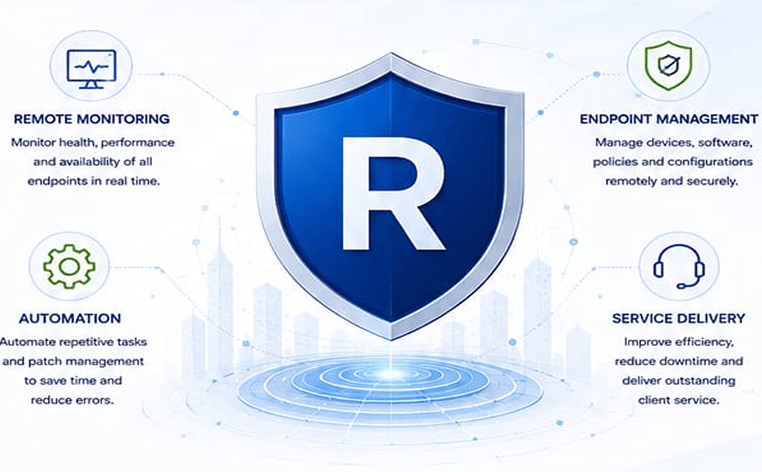
XcellSecure | Remote Monitoring & Management (RMM)
ARE YOU STRUGGLING TO MANAGE MULTIPLE SYSTEMS AND ENDPOINTS?
Monitor, manage, and secure your IT infrastructure with a powerful RMM solution.
- Monitor endpoints and servers in real-time
- Centralized Web-Based Admin Console
- Automated patch management and updates
- Access and control devices anytime
Listen to our Remote Monitoring & Management (RMM) Song
Product Intro
Use Cases
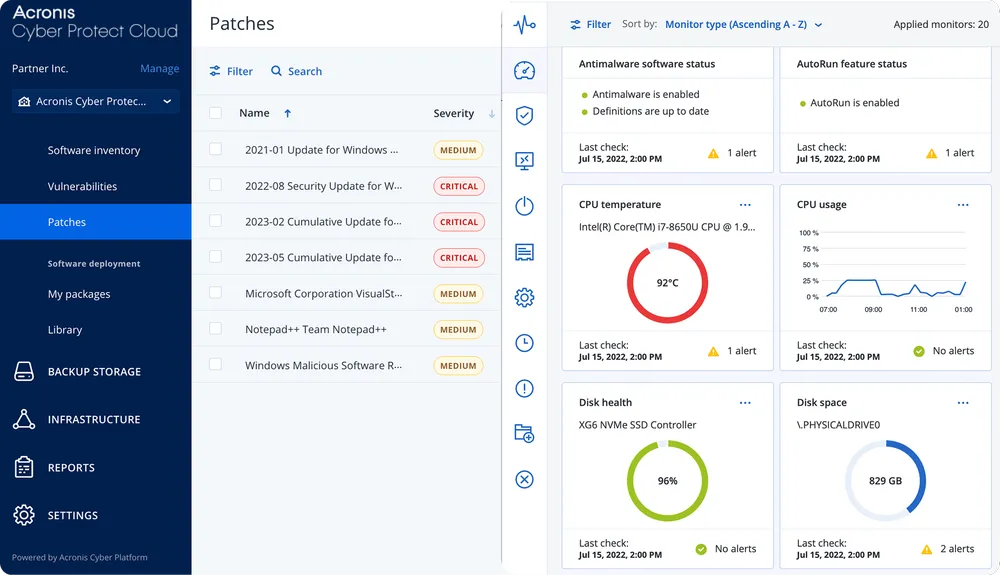
Remote Monitoring & Patch Management
One Dashboard Zero IT Chaos & Control every Endpoint Effortlessly
Your entire stack Under control
Features
Discover Devices
Other asset management features
Vulnerability Assessment & Patch management
System & hardware monitoring
Al-assisted scripting
Deploy software with DeployPilot
Remote desktop & assistance
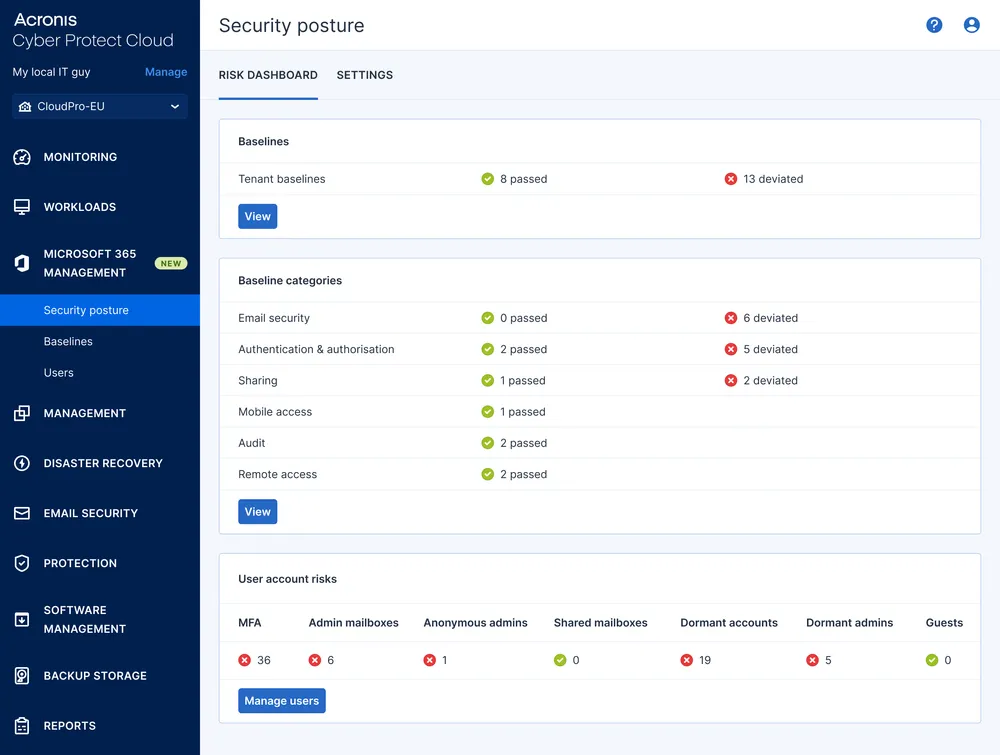
Microsoft 365 security posture management
Asset Management
Security & Compliance
Monitoring & Response
Remote Support
Acronis RMM software helps Customer deliver better IT management
Enhance client satisfaction by delivering superior IT administration and monitoring services while improving security posture for both endpoints and Microsoft 365. Boost technician performance with AI-driven automation of IT management.
Deploy high-performance and secure remote desktop and assistance at no additional cost
- Simplify management, reduce training and other costs — Remote desktop and assistance is built-in, uses the same Acronis agent and doesn’t require additional licenses.
- Chat with client users — Communicate directly through the Cyber Protection console for faster support and issue resolution.
- Perform remote actions such as restarting the system, putting the device to sleep and emptying the recycle bin.
- Provide instant support and connection to any endpoint, including those without an installed agent, through Quick Assist.
- Enable remote access to quarantined machines affected by a cyberattack right from the XDR interface for immediate investigation.
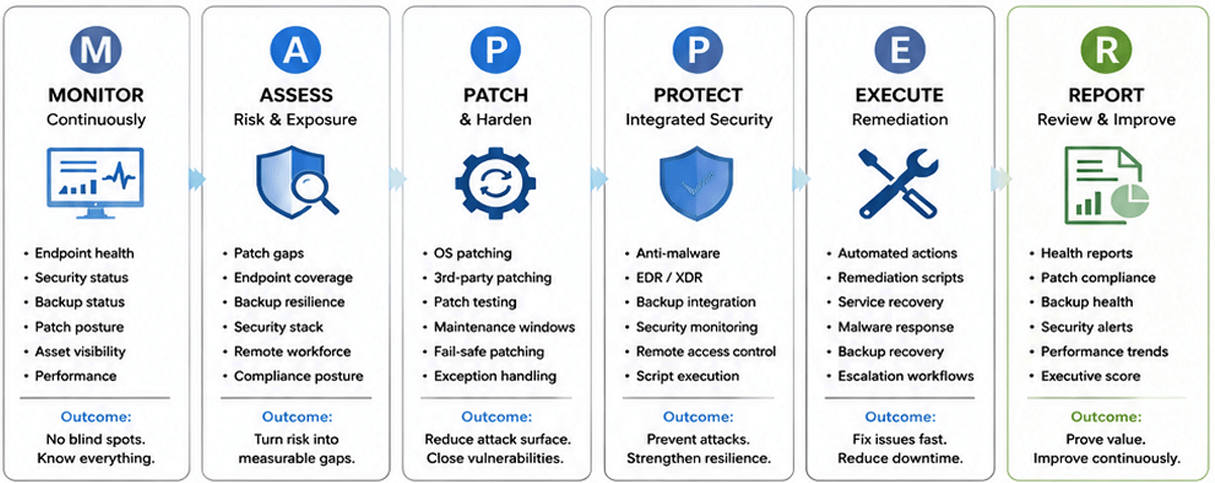
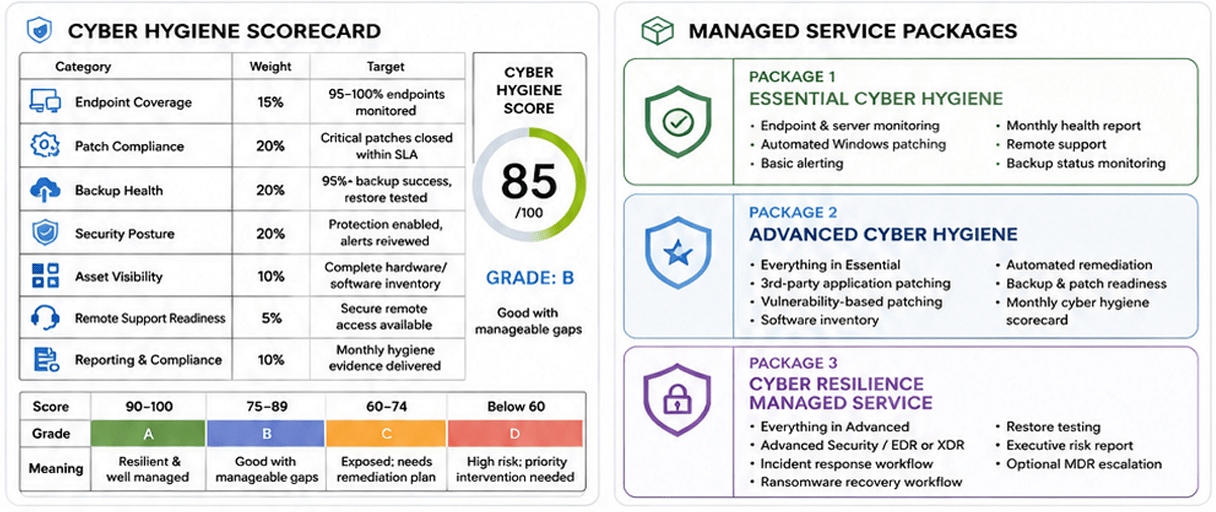
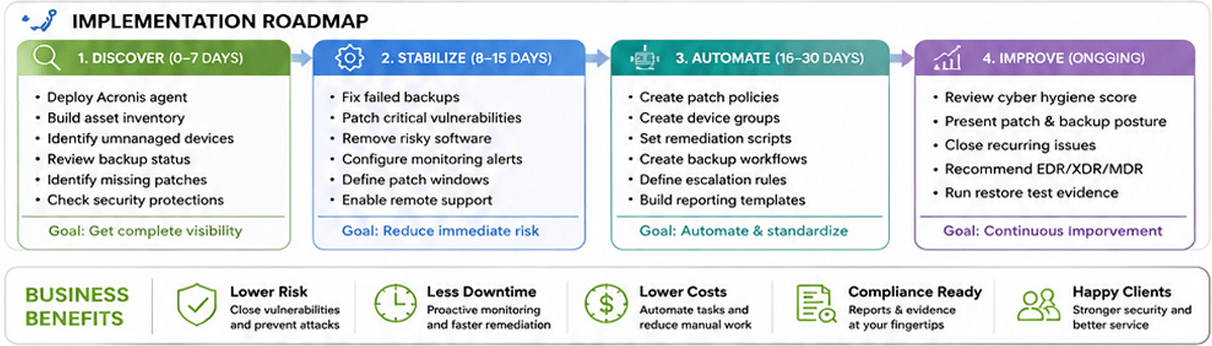
FRAMEWORK FOR EFFECTIVE CYBER HYGIENE
powered by Acronis RMM A continuous operating discipline to monitor, patch, protect, respond, recover, and report.
Acronis Advanced RMM
Manage. Monitor. Protect. All from One Platform.
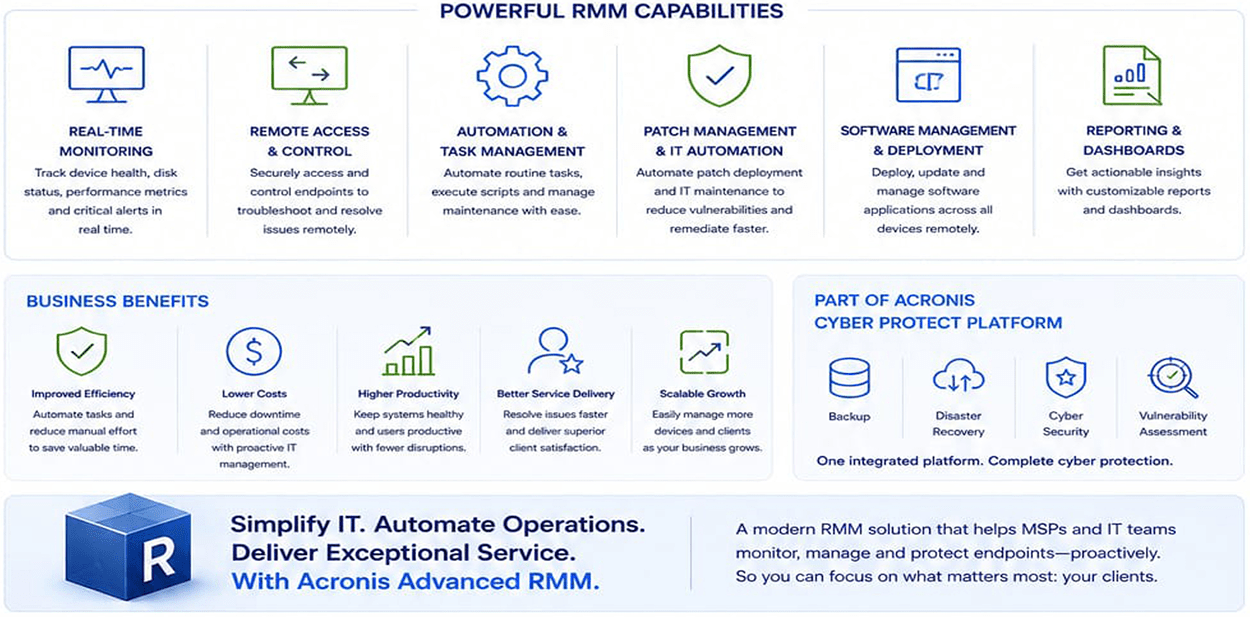
Acronis Advanced RMM empowers MSPs and IT teams to remotely monitor, manage, and secure endpoints, automate tasks, and deliver exceptional IT services.
Benefits
Enhance Security, Efficiency & Reliability
Enhance Client Security
Serve Non-English-Speaking Clients
Lower Costs
Store Client Data in Local Data Centers
Enable Proactive & Preemptive IT Management
Manage Microsoft 365
Reduce Alert Load
Acronis RMM : New Automation capabilities
Achieve peak performance through automation & Al
Goals
Without the need to hire additional staff
Provide more services
Serve more clients Manage more assets
Increase the number of managed endpoints per technician.
How to achieve it
Put on autopilot
Vulnerability assessment and patch management
Network discovery
Incident response actions
System administration using script management
Software deployment
Security risk remediation for Microsoft 365
Reduce alert load with ML-based issue detection
Speed up script creation with Al-based scripting
Remote Monitoring & Management (RMM) FAQ's
Remote Monitoring & Management (RMM) is an IT management solution that enables businesses and Managed Service Providers (MSPs) to remotely monitor, manage, maintain, and secure IT infrastructure including servers, endpoints, applications, networks, and devices from a centralized platform.
Modern businesses depend on multiple IT systems, endpoints, and cloud applications. RMM helps organizations proactively identify issues, automate maintenance tasks, monitor system health, deploy updates, and reduce downtime before problems impact business operations.
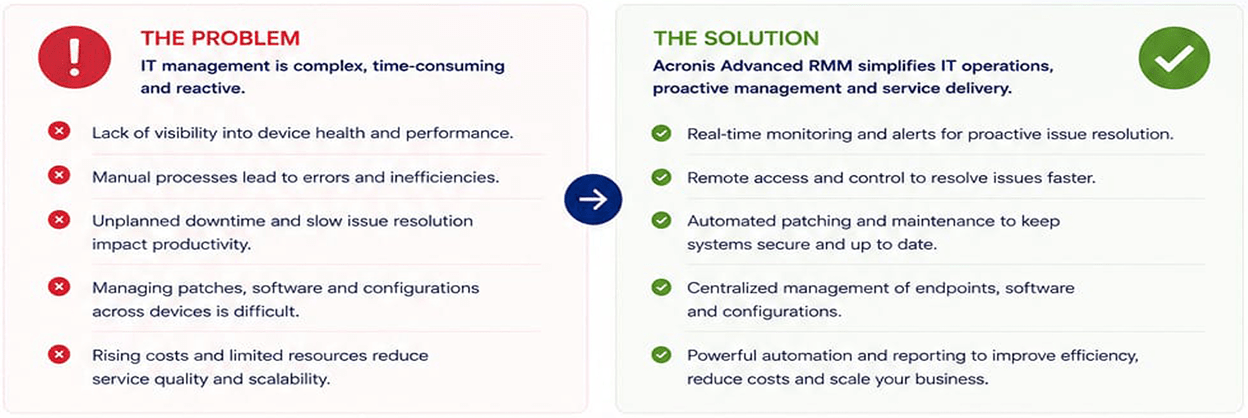
RMM helps solve common IT challenges such as:
- Lack of real-time visibility into IT infrastructure
- Unexpected system failures and downtime
- Manual monitoring and maintenance efforts
- Delayed patching and software updates
- Limited IT support resources
- Difficulty managing remote employees and multiple locations
RMM provides continuous monitoring of devices, servers, applications, and networks. IT teams can detect performance issues early, automate routine tasks, resolve problems remotely, and maintain a healthier IT environment.
RMM can monitor and manage various IT assets including:
- Windows and Linux servers
- Desktops and laptops
- Virtual machines
- Network devices
- Remote employee endpoints
- Business applications
- Cloud workloads
Yes. RMM uses proactive monitoring, alerts, automation, and remote troubleshooting capabilities to identify potential issues before they become critical failures, helping businesses improve uptime and availability.
Yes. IT teams can remotely access systems, troubleshoot issues, execute commands, manage services, and resolve incidents without physically visiting user locations.
RMM automates patch monitoring and deployment for operating systems and applications. This helps organizations maintain updated systems, reduce vulnerabilities, and improve security posture.
Yes. RMM continuously monitors critical server parameters such as:
- CPU utilization
- Memory usage
- Disk space
- Network performance
- Running services
- System health
Alerts can be configured when performance thresholds are exceeded.
RMM strengthens security by helping organizations:
- Identify vulnerable systems
- Apply security patches
- Monitor endpoint health
- Detect suspicious activities
- Maintain compliance requirements
- Improve IT visibility