XcellHost Cloud Services - Leaders in Managed Cloud Hosting since 1999
Document

Managed AWS Services Sample 1

Checklist for a Secure SharePoint Backup As a managed service provider (MSP), you’re tasked with managing and protecting your client’s data both on-site and in the cloud. However, backups for SaaS and cloud applications pose some unique challenges. For example, which SaaS apps should be backed up? What is the best technical approach for a reliable backup? What additional tools are at your disposal? Microsoft SharePoint tops the list of important SaaS applications that should be backed up. SharePoint Online is a cloud-based collaboration and document management platform developed by Microsoft as part of its Microsoft 365 suite. SharePoint provides the content storage and sharing foundation for other applications in the Microsoft suite, such as Microsoft Teams. It allows users to create, store, and share content with team members, partners, and customers, such as documents, lists, and web pages. This blog will review the seven most important considerations for MSPs regarding SharePoint backup. We will explain why SharePoint needs a reliable third-party backup and how to implement it. We will also explore the key features and capabilities MSPs should look for in a reliable SharePoint backup. 1. Shared Responsibility Model: Microsoft, Client Data, and You 🤝 Who is responsible for the data in SharePoint: Microsoft or the client? Let’s unpack this question. The Microsoft shared responsibility model for SharePoint is a crucial aspect of the platform’s security efforts. According to the Microsoft Services Agreement Section 6b, both Microsoft and its customers have a role to play in protecting sensitive information and ensuring the smooth functioning of the system. Therefore, MSPs should take the lead in implementing sound backup strategies to protect against SharePoint data loss in a client’s Microsoft 365 deployment. 2. Data Loss in the Cloud is Real 🌩️💾 Data loss is a major concern for businesses and individuals alike, and data loss in the cloud is no exception. Despite its convenience and accessibility, cloud applications like SharePoint are not immune to the risk of data loss. Potential vulnerabilities include: MSPs and end-user organizations must be proactive about backing up their data and regularly evaluating and updating their security measures. 3. Compliance Requires Sound Backups, Including Cloud Applications 📜🔐 With the rise of cyber-attacks and data breaches, compliance regulations have become stricter when it comes to protecting sensitive data. One of the essential requirements is to have sound backups in place, including cloud applications such as SharePoint and Microsoft 365. Many highly regulated industries – such as financial services and defense contracting in the United States – specify that regulated companies must follow the controls and procedures specified by the National Institute of Standards and Technology (NIST) cybersecurity frameworks. The NIST cybersecurity framework requires that cloud applications such as SharePoint be backed up to a secure, offsite location distinct from the production cloud environment. 4. Native Microsoft Tools in SharePoint are Inadequate ⚙️❌ While Microsoft offers some basic backup options for SharePoint users, they lack flexibility and scalability. For instance: Inadequate backup solutions can leave organizations vulnerable to data loss, corruption, and ransomware attacks. 5. A Third-party Backup Location is the Key 🗝️☁️ The 3-2-1 backup philosophy is a data backup strategy that recommends creating three copies of your data, in two different media, with at least one copy stored offsite. This approach helps ensure data is protected against loss or corruption. Leveraging a purpose-built, third-party cloud backup service for SharePoint data provides that vital offsite copy, defending against worst-case scenarios such as cyberattacks, ransomware infections, or natural disasters that could disable a production cloud platform. 6. MSPs Can Boost Revenues from Managed Cloud Applications 💼📈 MSPs have a huge business opportunity from managing SaaS and cloud applications on behalf of their clients. Migrating to the cloud offers stability and scalability, but cloud apps remain complex for most small and medium businesses. MSPs play a vital role in: Consequently, backing up SaaS and cloud applications is a mandatory element of a robust MSP’s tech stack. There are great choices for affordable, reliable, and third-party SaaS backup services, specifically designed for MSPs. 7. Purpose-built SharePoint Backup Solutions are Ideal for MSPs 🛠️🔄 We have established that SharePoint backup is a must for the following reasons: Dropsuite’s SharePoint Backup Solution Dropsuite’s solution for SharePoint and Microsoft 365 backup is designed to protect SharePoint Online data by backing up critical content such as site collections, subsites, lists, and libraries. Key features include: Protecting cloud data is central to the MSP mission of managing the end-to-end IT needs of clients. SharePoint is one of the most important elements of today’s cloud computing ecosystem. That’s why SharePoint backup is included in Dropsuite’s Microsoft 365 backup solution. Purpose-built for MSP deployment, Dropsuite invites MSP partners to sign up for a live demo with a backup specialist today. 🌐💬      

Managed AWS Services Sample 1 Read More »

6 Costly Data Protection Gaps in Microsoft 365

6 Costly Data Protection Gaps in Microsoft 365 💼🔐 Introduction Microsoft 365 is a robust and widely-used suite of productivity tools, but relying solely on its native security features can leave critical data unprotected. This brief outlines six costly data protection gaps in Microsoft 365 and how to address them effectively. 1. Limited Retention Policies 🗂️⏳ Gap Microsoft 365’s default retention policies may not align with your organization’s data retention needs. Deleted items are only retained for a limited period before they are permanently erased. Solution Implement a third-party backup solution that provides customizable retention policies, ensuring data is retained according to your specific compliance and business requirements. 2. Inadequate Data Recovery Options 🆘🔄 Gap Recovery options in Microsoft 365 are limited to the retention period and scope of service. Recovering data from beyond the retention period or after a significant data loss event can be challenging. Solution Utilize a comprehensive backup and recovery solution that allows you to restore data from any point in time, providing full recovery capabilities in the event of accidental deletion, ransomware, or other data loss incidents. 3. Insufficient Protection Against Ransomware 🛡️🖥️ Gap While Microsoft 365 offers some security features, it does not provide complete protection against sophisticated ransomware attacks that can encrypt or corrupt data. Solution Deploy an advanced security solution with anti-ransomware capabilities, such as continuous data protection, anomaly detection, and the ability to quickly restore data to a clean state before the attack. 4. Compliance and Legal Hold Limitations ⚖️🔍 Gap Microsoft 365’s compliance features, like eDiscovery and legal hold, have limitations in terms of granularity and scope, potentially risking non-compliance with legal and regulatory requirements. Solution Invest in a solution that offers granular search, flexible legal hold capabilities, and robust eDiscovery tools to ensure compliance and streamline legal processes. 5. Lack of Granular Recovery 📨🔧 Gap Native recovery options in Microsoft 365 do not support granular recovery of individual items, such as emails, calendar events, or specific files, making it difficult to restore specific data without reverting an entire set. Solution Choose a backup solution that supports granular recovery, allowing you to restore specific items without affecting the rest of your data, thus minimizing disruption and data loss. 6. Incomplete Data Coverage 📊🔒 Gap Microsoft 365 does not provide complete backup coverage for all data types and services, such as Teams chats, Planner tasks, or third-party app data integrated with Microsoft 365. Solution Ensure comprehensive data protection by using a backup solution that covers all Microsoft 365 data types and services, providing end-to-end protection for your entire environment. Conclusion Relying solely on Microsoft 365’s native data protection features can leave your organization vulnerable to data loss, non-compliance, and security threats. Addressing these six costly data protection gaps with a robust backup and recovery solution is essential to safeguard your critical data, ensure business continuity, and maintain compliance.      

6 Costly Data Protection Gaps in Microsoft 365 Read More »

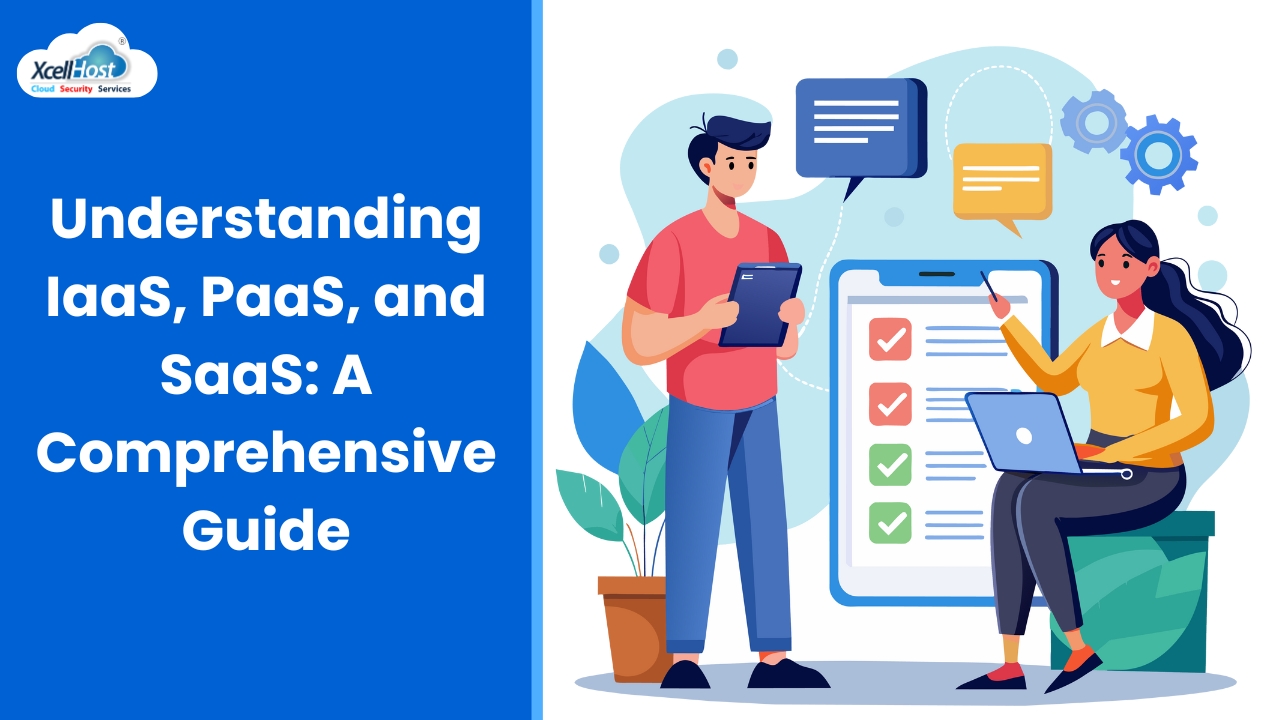
Understanding IaaS, PaaS, and SaaS: A Comprehensive Guide

Understanding IaaS, PaaS, and SaaS: A Comprehensive Guide 🌐🔍 As businesses increasingly adopt cloud computing, understanding the different service models available is crucial for making informed decisions. Infrastructure as a Service (IaaS), Platform as a Service (PaaS), and Software as a Service (SaaS) are the three primary cloud service models, each offering unique benefits and use cases. In this blog post, we’ll explore what IaaS, PaaS, and SaaS are, their key differences, and how to choose the right model for your business needs. What is IaaS? 🖥️ Infrastructure as a Service (IaaS) provides virtualized computing resources over the internet. It delivers essential infrastructure components such as virtual machines, storage, and networks, allowing businesses to rent these resources on a pay-as-you-go basis. Key Features of IaaS Use Cases for IaaS What is PaaS? 🛠️ Platform as a Service (PaaS) offers a cloud platform and environment for developers to build, deploy, and manage applications without dealing with the underlying infrastructure. It includes tools and services that facilitate the development process. Key Features of PaaS Use Cases for PaaS What is SaaS? 🖥️ Software as a Service (SaaS) delivers software applications over the internet on a subscription basis. Users can access the software from any device with an internet connection, without worrying about maintenance or updates. Key Features of SaaS Use Cases for SaaS Comparing IaaS, PaaS, and SaaS 🔍 Aspect IaaS PaaS SaaS Control Level High (Full control over infrastructure) Medium (Control over applications) Low (No control over infrastructure) User Responsibility OS, middleware, runtime, data, applications Applications, data Only data Cost Structure Pay-as-you-go for resources Subscription-based with some usage fees Subscription-based Maintenance User-managed Shared between user and provider Provider-managed Use Cases Development, testing, disaster recovery Application development, data analytics Email, CRM, collaboration tools Choosing the Right Model for Your Business 🤔 Selecting the appropriate cloud service model depends on your specific business needs, technical expertise, and budget. When to Choose IaaS When to Choose PaaS When to Choose SaaS FAQs 1. What is the difference between IaaS, PaaS, and SaaS? 🌐 IaaS provides virtualized computing resources over the internet, PaaS offers a platform for developing and managing applications, and SaaS delivers software applications over the internet on a subscription basis. 2. Which cloud service model offers the most control? 🛠️ IaaS offers the most control, allowing users to manage the operating systems, applications, and middleware. 3. What are common use cases for PaaS? 🛠️ Common use cases for PaaS include application development, API development and management, business intelligence, and mobile app development. 4. How does SaaS benefit small businesses? 💼 SaaS benefits small businesses by providing accessible software with low upfront costs, automatic updates, and scalability, making it easy to use and manage. 5. Can I switch between IaaS, PaaS, and SaaS? 🔄 Yes, businesses can switch between service models as their needs evolve. It’s essential to assess the implications and plan the migration carefully. 6. What is a key advantage of using IaaS? 📈 A key advantage of IaaS is scalability, allowing businesses to quickly adjust resources based on demand without significant upfront investment. 7. How does PaaS enhance the development process? 🛠️ PaaS enhances the development process by providing integrated development tools, automation, and middleware, streamlining the creation, testing, and deployment of applications. 8. What are some popular SaaS applications? 📱 Popular SaaS applications include Salesforce (CRM), Microsoft Office 365 (productivity suite), Google Workspace (collaboration tools), and Slack (communication). 9. How do I choose the right cloud service model for my business? 🤔 Consider your specific business needs, technical expertise, budget, and the level of control you require. Evaluate the advantages and use cases of each model to make an informed decision. 10. Is cloud computing secure? 🔒 Cloud computing can be secure if proper security measures are in place, such as encryption, access controls, and compliance with industry standards. It’s crucial to choose reputable providers and implement best practices for cloud security. By understanding the differences and advantages of IaaS, PaaS, and SaaS, businesses can make informed decisions and leverage the right cloud service model to meet their needs and drive success.      

Understanding IaaS, PaaS, and SaaS: A Comprehensive Guide Read More »

The Ultimate Guide to Choosing the Best Performance Cloud Hosting Provider

Introduction When entering the realm of online business or scaling up your digital deployments, selecting the right Cloud VPS (Virtual Private Server) hosting provider is critical. This guide aims to arm you with all the information necessary to make an informed decision, touching on various essential factors ranging from performance to pricing and security. 1:Understanding Cloud VPS Hosting Cloud VPS hosting represents a significant upgrade over shared hosting environments because it offers dedicated server resources without the cost of a dedicated server. Clients benefit from increased performance, stability, and control compared to shared hosting. 2:Core Features to Look for in a Cloud VPS Provider The ideal Cloud VPS host should offer Scalability to effortlessly handle growing traffic. Uptime Guarantees are vital; look for 99.9% or above. Strong Server Security Features like firewalls, DDoS protection, and SSL support are non-negotiable, while robust Backup and Data Retention Policies ensure data integrity. 4:Performance Metrics to Evaluate Consider hosts that deliver ample and scalable CPU and RAM, provide various storage types like SSDs for speed, and offer generous, unmetered bandwidth to accommodate your data transfer needs without choking your site’s accessibility. 5:Understanding the Support and Service Quality The quality of customer support can be the make or break factor in managing crisis situations. Ensure the provider has 24/7 support via multiple channels such as live chat, phone, and email. Review their Service Level Agreements (SLAs) for guaranteed response times. 6:Cost Considerations Evaluate the pricing structure carefully. Understand the difference between fixed pricing and pay-as-you-go plans. Be wary of Hidden Fees and Charges that could inflate the cost. 7:Security Aspects The best Cloud VPS providers will offer comprehensive security, including regular updates, monitoring, and strong firewalls. Check for their security certifications like ISO/IEC and compliance standards relevant to your industry. 8:User Reviews and Testimonials Learning from existing customers’ experiences provides invaluable insights into a provider’s reliability. Weigh both the benefits and drawbacks that current and past users report. 9:Customization and Flexibility Your host should allow you to deploy your preferred software applications without restrictions and support major operating systems whether you are leaning towards Linux or Windows. 10:Geographical Server Location Server locations directly impact site latency which affects user experience. Consider providers with data centers close to your target audience. 11:Vendor Reputation and Reliability Research the provider’s history and market presence to ensure they have the infrastructure and expertise to support their services reliably over time. 12:Additional Services and Features Some providers offer managed services which can take a lot of server management off your plate. Additional perks might include performance monitoring tools and easy-to-use control panels. 13:Ease of Use An intuitive user interface and straightforward account management tools can significantly enhance your hosting experience, especially if you’re not very tech-savvy. 14:Environmental Considerations With growing concerns about the environment, consider a provider who practices green hosting by using energy-efficient technologies and following sustainable practices. Conclusion Choosing the right Cloud VPS provider is crucial for your site’s performance and scalability. Consider your current needs against future growth, and align them with the offerings of potential hosts. Remember, the cheapest option isn’t always the best; prioritize quality and reliability. FAQs      

The Ultimate Guide to Choosing the Best Performance Cloud Hosting Provider Read More »

Managed Azure test 1

More and more businesses are turning to cloud accounting for its big perks. They love being able to check their finances from anywhere. Tally ERP on Cloud is a top choice for this. It keeps businesses running smoothly no matter where they are. By using Tally, we can check real-time data easily. This cuts out the need for a big IT setup1. This way, businesses save money and time. They don’t need to spend a lot on extra tech. And they can share data in a safe way 1 . Tally ERP on Cloud means they can handle accounting, taxes, sales, and more with ease 2 . Key Takeaways Access business data from anywhere and at any time1. Eliminate infrastructure setup and maintenance costs1. Secure and encrypted data exchanges1. Efficient management of accounting, tax, and inventory needs2. Enhanced operational efficiency and time savings1. Easy Remote Access Anywhere, Anytime Tally on Cloud has brought a new level of freedom and ease to business financial management. Now, companies can handle their financial data from anywhere. This is especially crucial for growing companies, ensuring their professionals can be just as productive from various spots. Access from Multiple Devices Tally on Cloud shines because it allows multiple users to enter Tally ERP from various devices. It feels like working on the same local network, enhancing team performance no matter where they are. This helps businesses with different setups, enabling smooth teamwork even across different devices. Small and medium-sized businesses find this feature perfect for staying on top of finances globally3. Also, the secure access offered by Tally’s Remote Access with an active TSS makes it even better4. Work While Traveling For those who travel a lot, working on the go with Tally on Cloud is a game-changer. It keeps users connected to vital financial data, no matter their location. The Tally on Mobile App is easy to use and provides access to Tally’s robust reporting and analysis tools4. This keeps business operations running smoothly and is especially great for teams spread out far and wide. Collaboration Across Locations Today, working together from different places is key in business. Tally’s cloud-based multi-user access helps by allowing many users to use and update financial data at once. This boosts decision-making and efficiency. Businesses with Tally on Cloud can sync their settings and hosting as they need, offering a solution that adjusts with their growth3. Plus, cloud tech makes it easy and secure to share data, promoting seamless teamwork among stakeholders5. With Tally on Cloud, financial data and reports are linked across different branches, supporting a unified business management approach3. Enhanced Data Security Keeping Tally data safe is key for businesses using Tally on Cloud. It uses strict rules to keep money details safe. Robust Security Measures Tally on Cloud has top-notch safety features. It uses end-to-end encryption and multiple ways to check if it’s really you getting in. This stops hackers from getting your info6. Each account is kept separate to prevent info stealing7. Storing it on cloud means the best care is taken to keep it safe6. Regular Automated Backups A backup plan is essential and Tally on Cloud knows this well. It makes copies of data often to face any surprises7. With this, businesses don’t have to worry about losing their vital info. Plus, if there’s a disaster, Tally has a solution to save the day7. Cost-Effective Solution Nowadays, saving money is key for companies. Using Tally on Cloud is a smart choice. It is a cheaper option than traditional accounting. Cloud-based accounting helps cut IT costs and keeps financial tasks strong. Reduced IT Infrastructure Costs Tally on Cloud means less money spent on IT systems. You don’t have to buy and maintain physical servers. This way, you avoid big initial costs and save on upkeep expenses8. Also, this accounting method reduces daily costs. So, companies can use their money for other things, like growing. No Need for Physical Servers Using Tally on Cloud takes away the need for physical servers. This saves a lot of money on infrastructure. Cloud computing is flexible and you pay as you go, which is great for cutting costs8. With TallyPrime on AWS, setting up is easy. This makes managing your business smoother and more cost-efficient9. Feature Tally on Cloud Traditional Tally Initial Investment Low High Maintenance Costs Included10 Separated Scalability High10 Low Data Accessibility Remote8 Local Flexibility and Scalability Tally on Cloud stands out for being flexible and scalable. It meets the changing needs of today’s businesses. These businesses require solutions that can expand as they do, keeping up with their growth. Customizable Plans Its scalable Tally solutions offer plans that fit different business needs. Companies can pick the features they need most. This ensures they’re spending only on what they actually use. Tally on Cloud also supports working from anywhere. It lets users reach their accounting data and tools online. This opens the door for global teamwork, breaking down location barriers11. Scalable Resources Besides, the adjustability of resources in Tally benefits growing companies. They can quickly increase usage as demands rise. This stops them from being held back by fixed software limits. Such a system matches the service to the specific needs of each user. This not only saves on server and IT costs but ensures Tally is always a fit for your operation1211. Moreover, Tally’s adaptable financial tools help manage accounts and processes efficiently. This leads to better performance and availability for your business12. Real-Time Data Synchronization Tally on Cloud is amazing because it syncs data instantly. This ensures data is always available right now. It’s great for quick decision-making. This way, businesses always have the most current info. By syncing financial data right away, companies can plan better. This helps with their business strategies and keeps operations smooth. Instant Data Availability With Tally on Cloud, financial data is always accessible. This real-time access to data makes work smoother and more efficient. It fits well with other tools, improving how everything works together13. Any

Managed Azure test 1 Read More »